
Google Chrome Is My Default Browser
Google Chrome is very fast indeed when loading the GMail, Reader, Notes, Docs, iGoogle, Calendar and other web sites also loaded faster. Installation is simple, and I am prompted to close my Firefox so that Chrome can import bookmarks and other stuffs form it. Over here is the list of features I liked more with Google Chrome.
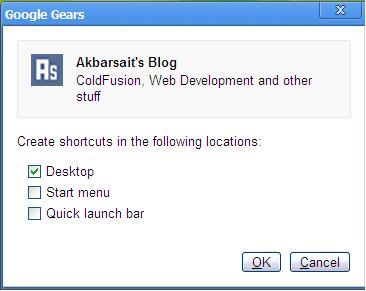
Application Shortcut feature is nice that creates shortcuts in desktop, quick launch bar/start menu for your preferred sites.
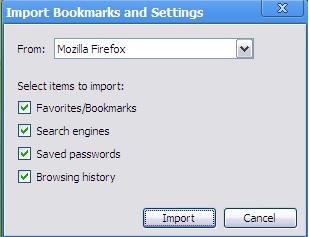
Dragging/dropping tabs lets drag-n-drop tabs within a window or we can put a tab outside the current or to launch a new window and vice versa. Import bookmark options allow to bring your favorites bookmarks from Firefox/IE with the additional options as shown below.
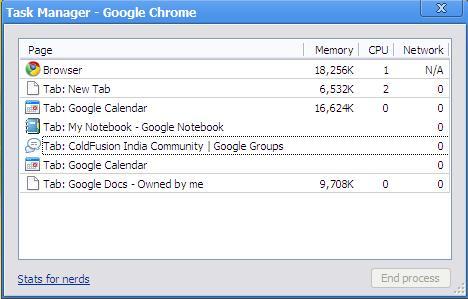
Task Manager is awesome that list, all the tabs/windows, plugins memory, CPU and the network usages. Task manager window is having a link called “Stats for nerds” which shows a very detailed summary about the memory usage of the different browser currently opened. View page source will display with line numbers which are unavailable with Firefox and IE.
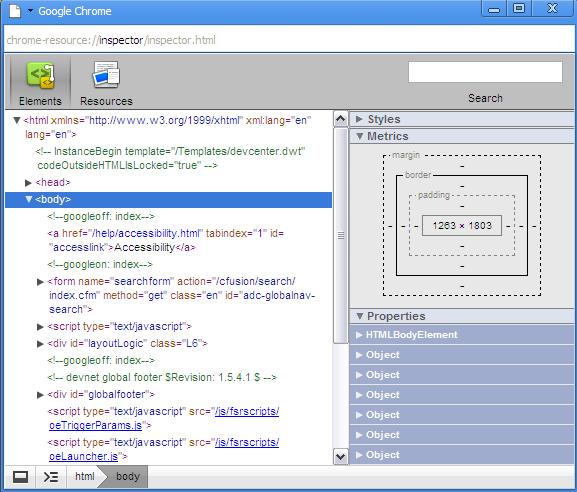
Inspect element feature will allow to inspect more CSS related functionality of a page. File downloads displays an arrow at the bottom of the page with current status of download. CTRL + F functionality for search is cool it highlights the results in the page we can navigate through them.
Bookmarks can be added easily by pressing the star in the search bar. Hide/Unhide of bookmarks are fair easy by clicking the CTRL + B button. Search engines are managed by right clicking the address bar and selecting “Edit search engines.” CTRL + SHIFT + L will launch a new incognito window for private browsing will which doesn’t keep track of the web history of your pages. If you find any other features, please comment.
Overall Google Chrome is great for me and I set Google Chrome as my default browser on my computer
Links:
- Download Google Chrome Here : http://www.google.com/chrome
- Why Google Chrome : http://tools.google.com/chrome/intl/en-US/why.html
- Sergey Brin on Why Google’s Launching a Browser : http://in.youtube.com/watch?v=7RSHMheDIrM
- Google Chrome Shortcuts : http://www.google.com/support/chrome/bin/answer.py?answer=95743
