ColdFusion 9: New Application Level SMTP Sever Settings for CFMail
ColdFusion 9 shipped with lots of new features that include some new variables which are added to the Application.cfc file. One among them is the new application level SMTP server setting. We can specify the SMTP server setting details to “smtpServersettings” attribute of THIS scope in Application.cfc which takes three values and they are server, username and password as a structure.
<cfcomponent displayname="CF9ApplicationVariables" output="false">

	<cfset this.name	= "CF9ApplicationVariables" />
	<cfset this.smtpserversettings	= {
										server="mailServerAddress",
										username="userEamilID",
										password="userPassword"
										} />
</cfcomponent>
The above code has the “this.smtpServersetting” property defined in the Application.cfc file.
<cfmail
		from="fromEmaiID"
		to="toEmaiID"
		subject="ColdFusion 9 New smtpServersettings Feature"
		type="HTML">

	<p>
		Dear ColdFusion,
	</p>

	<p>
		You make my life much easier with your every cool
		and new features and functionalities.
	</p>

</cfmail>
Now the CFMail tag will use the server details for sending mails as mentioned above in “smtpServersetting” in Application.cfc and it won’t use the server values specified in the ColdFusion 9 Administrator. If “smtpServersetting” attribute is not used then CFMail will behave as normally.
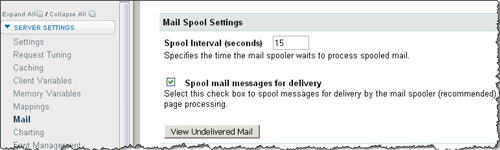
And another great feature to mention is ColdFusion 9 Administrator will have a new interface which allows us to view the undelivered emails in the ColdFusion Administrator itself. ColdFusion Rocks!