
Hiding Whitespace, New Line and Carriage Return Characters in ColdFusion Builder
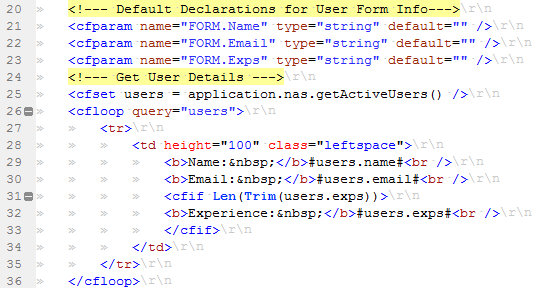
Just a quick note to myself, this issue is happened to me previously and I somehow overlook how I addressed it. Yesterday I accidently enabled the whitespace characters in CF Builder that in turn displays the new line (\n) and carriage return (\r) characters as well in the Editor.
This is how my editor looks even after the “Show whitespace characters” is unchecked in preferences.
Preferences > Editors > Text Editor Section of my ColdFusion Builder.
After a bit of goggling, I got the solution from Raymond Camden blog for hiding the white space characters. To enable Show/Hide of whitespace/new line/carriage return characters in ColdFusion Builder/Eclipse all we require to utilize is CTRL + . (CTRL + DOT) key combinations.
